
Call us now :08045804890
 Send Inquiry
 Send Inquiry
Trendmicro Worry Free Software
Price 1800 INR/ Piece
MOQ : 5 Units
Trendmicro Worry Free Software Specification
- Support System
- Windows, MacOS, iOS, Android
- Security Features
- Virus Protection, Ransomware Protection, Web Threat Protection, Data Loss Prevention
- Compatible System
- Windows 7/8/10/11, macOS, Mobile Devices
- Interface Type
- Cloud-Based, Web Interface
- Usage
- Multi-user
- Capacity (Person)
- 1-250 users
- Language Support
- Multilingual
- Type
- Antivirus & Endpoint Protection Software
- Application
- Business and Office Use, Endpoint Security
- Admin Console
- Centralized Web Management
- Updates
- Automatic Regular Updates
- Product Category
- Cybersecurity Software
- Customer Support
- 24/7 Online and Phone Support
- Notification Alerts
- Email and Dashboard Alerts
- Device Support
- PCs, Laptops, Mobiles, Servers
- Trial Availability
- Free Trial Available
- License Type
- Annual Subscription
- Deployment
- Cloud and On-premises
- Compliance Standards
- GDPR, HIPAA Support
Trendmicro Worry Free Software Trade Information
- Minimum Order Quantity
- 5 Units
- Payment Terms
- Cash on Delivery (COD), Cash Advance (CA), Cash in Advance (CID), Cheque
- Supply Ability
- 2000 Units Per Month
- Delivery Time
- 10 Days
- Main Export Market(s)
- Asia, Australia, Central America, North America, South America, Eastern Europe, Western Europe, Middle East, Africa
- Main Domestic Market
- All India
About Trendmicro Worry Free Software
Comprehensive Endpoint Security
Worry-Free Software provides multi-layered protection for businesses against threats such as viruses, ransomware, and malicious websites. Its automatic updates enable real-time defense while safeguarding sensitive business data and supporting diverse devices, from desktops and laptops to mobile devices and servers.
Centralized Web-Based Management
The cloud-based admin console streamlines security administration across all endpoints. IT managers can easily monitor, configure, and control security policies through a unified dashboard, benefiting from proactive notification alerts by email or through the interactive dashboard for quick response.
Seamless Deployment and Multi-Platform Support
Trend Micro Worry-Free Software offers flexible deployment options, supporting both cloud and on-premises installations. It is compatible with Windows (7/8/10/11), macOS, iOS, and Android, accommodating businesses of various sizes and IT infrastructures with a simple, multilingual interface.
FAQ's of Trendmicro Worry Free Software:
Q: How does Trend Micro Worry-Free Software help protect my business devices?
A: The software provides advanced virus, ransomware, and web threat protection for PCs, laptops, mobiles, and servers. It uses multi-layered, automated security measures to prevent, detect, and neutralize cyber threats before they can compromise your business data.Q: What is the process for deploying Trend Micro Worry-Free Software in my organization?
A: You can choose between cloud-based or on-premises deployment. After purchasing an annual subscription or starting a free trial, follow the online setup instructions to install the solution on supported Windows, macOS, iOS, and Android devices. The centralized web interface helps in managing installation and security policies efficiently.Q: When and how are security updates applied to the software?
A: Trend Micro Worry-Free automatically delivers regular updates to ensure your endpoints are always protected against the latest threats. There is no manual intervention required, as updates are managed from the centralized admin console.Q: Where can I access the admin management console and monitor alerts?
A: The centralized web-based admin console is accessible from any internet-enabled device. Security events, notifications, and alerts are available via the dashboard, and automated email alerts keep administrators informed of urgent actions or threats.Q: What type of compliance standards does Trend Micro Worry-Free Software support?
A: This solution fully supports GDPR and HIPAA compliance, helping ensure your organization's data protection policies meet industry regulations. Security features and audit trails assist with compliance reporting and monitoring.Q: How can I benefit from Trend Micro's customer support services?
A: You gain access to 24/7 online and phone support, ensuring you can resolve issues quickly at any time. Support is available in multiple languages to suit the diverse needs of Indian dealers, retailers, suppliers, and service providers.Q: Is there a free trial available and how can I start it?
A: Yes, a free trial is available. Visit Trend Micro's official website or contact an authorized dealer in India to sign up and begin evaluating the software before making a purchase commitment.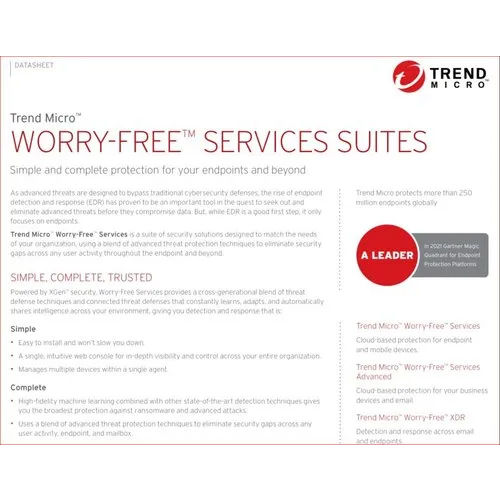
Tell us about your requirement

Price:
Quantity
Select Unit
- 50
- 100
- 200
- 250
- 500
- 1000+
Additional detail
Mobile number
Email

More Products in Antivirus Software Category
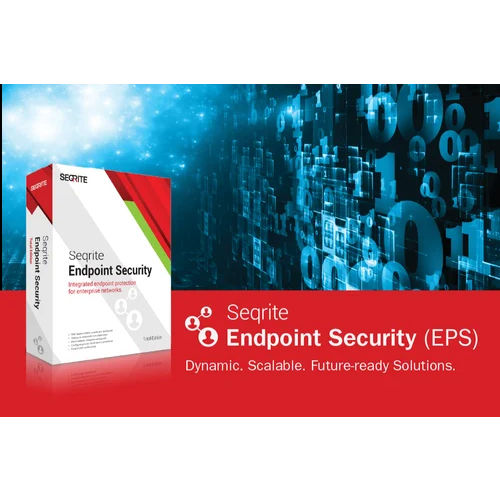
Seqrite Endpoint Security Software
Price 900 INR / Piece
Minimum Order Quantity : 5 Units
Support System : 24x7 Technical Support, Online & Onsite Support
Security Features : Advanced Threat Protection, Firewall, Antivirus, Device Control, Web Protection, Ransomware Protection, Data Loss Prevention
Application : Data Protection, Network Security, Malware Protection
Interface Type : Webbased, ClientServer
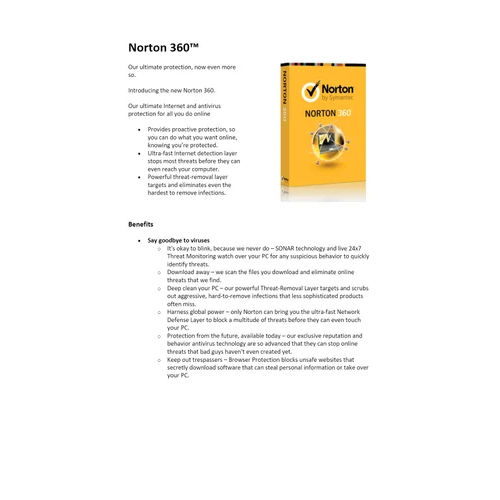
Norton Antivirus Software
Price 500 INR / Unit
Minimum Order Quantity : 1 Unit
Support System : Windows XP, Vista, 7, 8, 10
Security Features : Automatic Updates, Email Protection, Anti Spyware
Application : Virus Protection
Interface Type : CD/DVD

ESET Smart Security Software
Price 1500 INR / Unit
Minimum Order Quantity : 1 Unit
Support System : Windows, macOS, Linux
Security Features : Antivirus, Antispyware, Personal Firewall, Antiphishing, Antitheft, and Parental Control
Application : Computer and Data Security
Interface Type : Userfriendly Graphical Interface
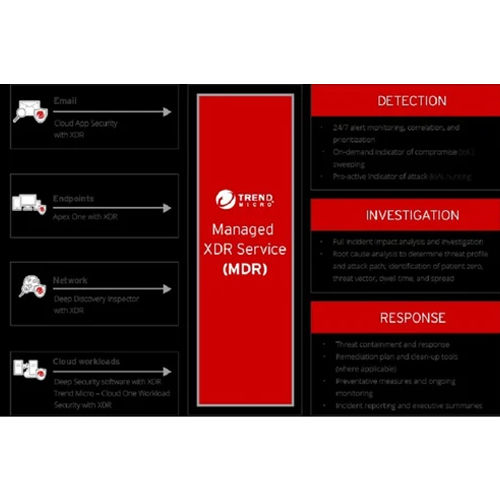
Trendmicro Endpoint Security Software
Price 1800 INR / Piece
Minimum Order Quantity : 5 Units
Support System : Windows, Mac, Linux
Security Features : Antimalware, Web Threat Protection, Vulnerability Shield, Application Control, Device Control, Ransomware Protection, Behavioral Analysis
Application : Business, Enterprise, Corporate, Government Organizations
Interface Type : Cloudbased and Onpremises Management Console


 Send Inquiry
Our Products

204, Chandralok CHS, Amipark, S. T. Stand Road, Nalasopara west,Mumbai - 401203, Maharashtra, India

Mr. Umesh Rajaram Pakhare
(PROPRIETOR)
Mobile :08045804890
 Send Inquiry
 Send SMS
Developed and Managed by Infocom Network Private Limited.
