Call us now :08045804890
 Send Inquiry
 Send Inquiry
Bitdefender GravityZone Business Security Software
Price 900 INR/ Piece
MOQ : 5 Units
Bitdefender GravityZone Business Security Software Specification
- Usage
- Corporate / Enterprise Security Solutions
- Security Features
- Anti-Malware, Firewall, Web Protection, Ransomware Mitigation, Device Control, Phishing Protection
- Interface Type
- Cloud-based Centralized Management Console
- Language Support
- Multilingual, including English
- Capacity (Person)
- Supports multiple endpoints/users
- Support System
- Windows, Mac, Linux, Virtualized Environments
- Compatible System
- Desktops, Laptops, Workstations, File Servers, Virtual Machines
- Type
- Business Security Software Subscription
- Application
- Business Security, Endpoint Protection
- Encryption Support
- Full Disk and File Encryption
- Management
- Role-based Access Control
- Deployment
- Cloud/On-premises
- Update Method
- Automatic Online Updates
- Reporting
- Advanced Reporting and Analytics
- License Type
- Annual Subscription
- Backup and Recovery
- Integrated
- Integration
- API Support, SIEM Integration
- System Requirements
- Minimum 1 GB RAM, 1.5 GB available HDD
Bitdefender GravityZone Business Security Software Trade Information
- Minimum Order Quantity
- 5 Units
- Payment Terms
- Cash in Advance (CID)
- Supply Ability
- 20000 Units Per Month
- Delivery Time
- 10 Days
- Main Domestic Market
- All India
About Bitdefender GravityZone Business Security Software
Comprehensive Security for Business Environments
Bitdefender GravityZone Business Security safeguards your organization's endpoints against emerging threats. Its feature-rich suite includes anti-malware, firewall, ransomware protection, and web filtering, all managed via an intuitive cloud-based console. With integrated encryption and advanced analytics, the platform ensures data protection and compliance for businesses of all sizes.
Flexible Deployment and Seamless Integration
Whether your infrastructure is on-premises, cloud-based, or hybrid, GravityZone adapts to your needs. The solution supports Windows, Mac, Linux, and virtualized platforms, offering flexible deployment and effortless scalability. It integrates with existing SIEM solutions and business workflows through robust API support for holistic enterprise security management.
Efficient Management and Reporting
Centralized management through a cloud-based console enables streamlined operations for administrators. Advanced reporting and analytics deliver real-time insights into security events, compliance status, and system performance, empowering businesses to make informed decisions and respond promptly to emerging threats.
FAQ's of Bitdefender GravityZone Business Security Software:
Q: How do automatic online updates work with Bitdefender GravityZone Business Security?
A: Bitdefender GravityZone automatically downloads and installs security updates online, ensuring your endpoints remain protected against the latest threats without manual intervention. This process runs in the background, minimizing disruption to your workflow while maintaining comprehensive security.Q: What are the deployment options for GravityZone Business Security, and how should I choose?
A: You can deploy GravityZone Business Security either on-premises, in the cloud, or as a hybrid solution. The choice depends on your organization's IT environment and preferences: cloud deployment offers ease of management and scalability, while on-premises is suitable for organizations with specific regulatory or data residency requirements.Q: When should you use the integrated backup and recovery feature?
A: The integrated backup and recovery feature should be used to safeguard critical business data from threats such as ransomware or accidental deletion. Regular backups ensure your files and system configurations can be restored quickly, minimizing downtime and data loss during cyber incidents or technical failures.Q: Where can Bitdefender GravityZone be managed from?
A: Administration and monitoring are centralized through a user-friendly, cloud-based management console, accessible from any secure web browser. This centralized approach enables IT teams to manage security policies, monitor endpoints, and generate advanced reports from virtually any location.Q: What are the benefits of full disk and file encryption in this solution?
A: Full disk and file encryption protect sensitive business data at rest by making it inaccessible to unauthorized users should a device be lost or stolen. This encryption feature supports regulatory compliance and ensures the confidentiality and integrity of business information.Q: How does SIEM and API integration enhance security operations?
A: SIEM and API support enable GravityZone to integrate seamlessly into existing security architectures, facilitating real-time threat visibility, event correlation, and automated responses. This strengthens incident detection, speeds up response times, and streamlines security management across your organization.Q: What advantage does role-based access control provide for business security administration?
A: Role-based access control (RBAC) allows organizations to assign permissions based on job functions. This restricts user access to only relevant parts of the management console, helping prevent unauthorized changes, improving security, and enhancing compliance with internal and external policies.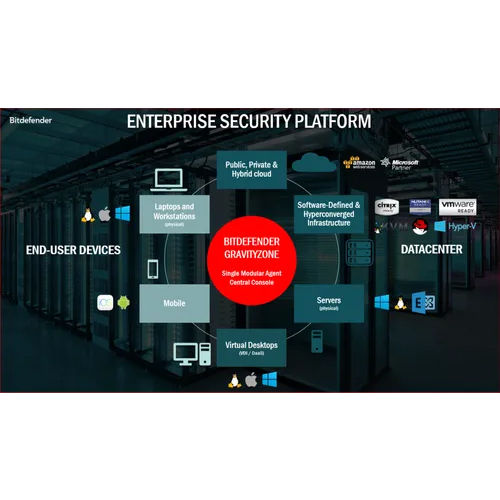
Tell us about your requirement

Price:
Quantity
Select Unit
- 50
- 100
- 200
- 250
- 500
- 1000+
Additional detail
Mobile number
Email

More Products in Antivirus Software Category
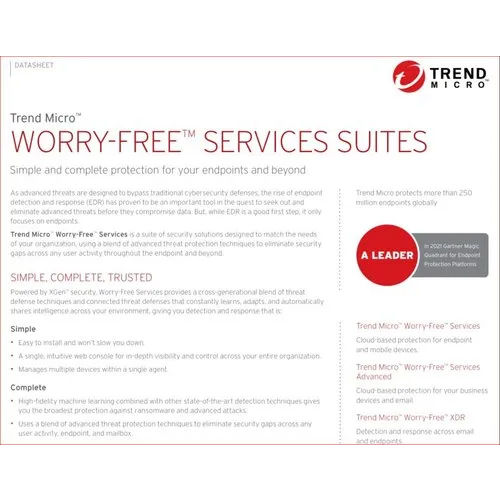
Trendmicro Worry Free Software
Price 1800 INR / Piece
Minimum Order Quantity : 5 Units
Security Features : Virus Protection, Ransomware Protection, Web Threat Protection, Data Loss Prevention
Usage : Multiuser
Application : Business and Office Use, Endpoint Security
Interface Type : CloudBased, Web Interface
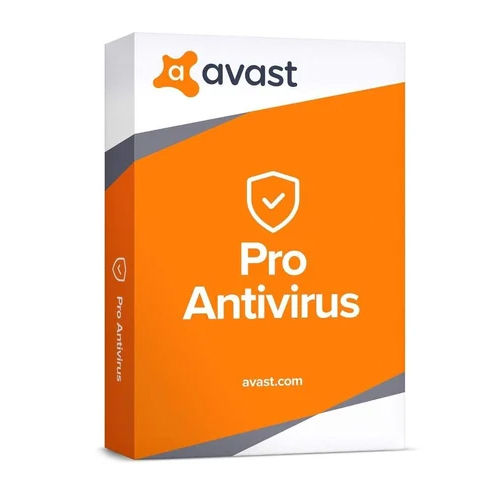
Avast Antivirus Software
Price 1000 INR / Piece
Minimum Order Quantity : 10 Pieces
Security Features : RealTime Protection, Malware Detection, Ransomware Shield, Phishing Protection, Email Security
Usage : Personal & Business
Application : Computer Protection
Interface Type : Digital / Downloadable Software, UserFriendly Interface
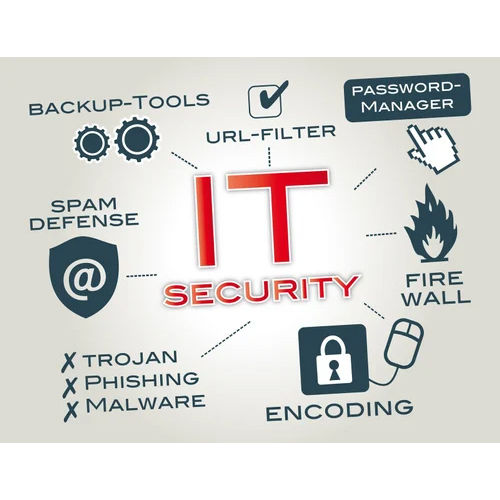
Net Protector Antivirus Software
Price 700 INR / Piece
Minimum Order Quantity : 1 Piece
Security Features : Virus Removal, Anti Malware, Email Protection
Usage : Personal, Small Office, Home Office
Application : Computer Protection
Interface Type : CD Installation and Activation Key
Symantec Endpoint Protection Software
Price 1800 INR / Piece
Minimum Order Quantity : 1 Piece
Security Features : AntiMalware, Firewall, Intrusion Prevention, Device Control
Usage : Protecting Endpoints from Threats and Vulnerabilities
Application : Enterprise Endpoint Security
Interface Type : Software Based, Web Console


 Send Inquiry
Our Products

204, Chandralok CHS, Amipark, S. T. Stand Road, Nalasopara west,Mumbai - 401203, Maharashtra, India

Mr. Umesh Rajaram Pakhare
(PROPRIETOR)
Mobile :08045804890
 Send Inquiry
 Send SMS
Developed and Managed by Infocom Network Private Limited.
