
Call us now :08045804890
 Send Inquiry
 Send Inquiry
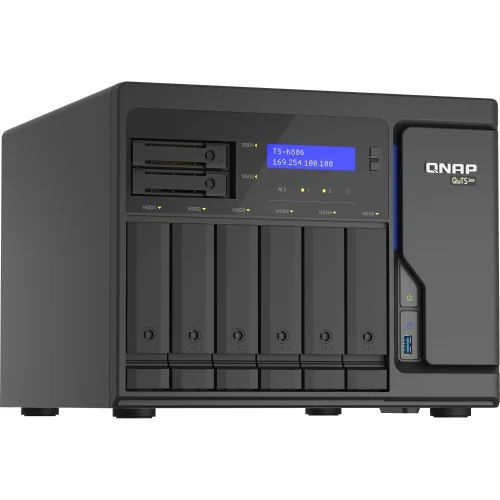
Synology DS 420 Network Attached Storage
Price 52,000 INR/ Piece
MOQ : 1 Piece
Synology DS 420 Network Attached Storage Specification
- IP Routing
- Supported, Layer 2/3
- Dimension (L*W*H)
- 166 mm x 199 mm x 223 mm
- Features
- Hot-swappable drive bays, RAID support, Cross-platform file sharing, Btrfs file system, Scheduled power on/off
- Network Device
- Yes
- Usage & Applications
- Home, Small Office, File Sharing, Backup, Surveillance
- Port
- 2 x Gigabit Ethernet (RJ-45), 2 x USB 3.0
- Power Consumption
- Average 15.48W (Access), 5.7W (HDD Hibernation)
- Device Type
- 4-Bay Network Attached Storage (NAS)
- Frequency
- 50/60 Hz
- Interface Type
- SATA III (HDD/SSD), Ethernet, USB 3.0
- Weight
- 2.18 kg (without drives)
- Operating Temperature
- 0°C ~ 40°C (32°F ~ 104°F)
- Remote Control
- Yes
- Power Supply
- 100V to 240V AC, 50/60Hz, Single Power Supply
- Number Of Ports/Pins
- 2 x Ethernet, 2 x USB 3.0
- Connectivity Type
- Wired LAN
- Cable Length
- Depends on network installation
- Network Protocols
- SMB, AFP, NFS, FTP, WebDAV
- Max Supported Capacity
- Max single volume size: 108 TB, 4 x 3.5" or 2.5" SATA drive bays (drives not included)
- CPU
- Intel Celeron J4025 dual-core 2.0 GHz, burst up to 2.9 GHz
- LED Indicators
- Status, LAN, Disk
- Package Contents
- NAS main unit, accessory pack, AC power adapter, RJ-45 LAN cable, Quick Installation Guide
- File System
- Btrfs, EXT4, EXT3, FAT, NTFS, HFS+, exFAT
- RAID Support
- Synology Hybrid RAID, RAID 0, RAID 1, RAID 5, RAID 6, RAID 10, Basic, JBOD
- Expansion
- Supports external USB drives and printers via USB 3.0 ports
- System Memory
- 2 GB DDR4 non-ECC
- Operating System
- DiskStation Manager (DSM)
- Security
- AES 256-bit encryption, 2-step verification, firewall, auto-block
- Cooling System
- 2 x 92 mm x 92 mm fans
- Noise Level
- 19.8 dB(A)
Synology DS 420 Network Attached Storage Trade Information
- Minimum Order Quantity
- 1 Piece
- Payment Terms
- Cash in Advance (CID)
- Supply Ability
- 2000 Pieces Per Month
- Delivery Time
- 10 Days
- Main Domestic Market
- All India
About Synology DS 420 Network Attached Storage
Expand Your Storage and Enhance Productivity
The Synology DS420 empowers users to streamline file sharing, data archiving, and multimedia management with its versatile 4 drive bays and ample expansion options. Whether used for business collaboration, backup automation, or personal cloud storage, it offers flexibility and reliability. Advanced security settings, RAID options, and USB ports ensure adaptability for growing needs.
Comprehensive Security and Network Features
Featuring AES 256-bit encryption, 2-step verification, built-in firewall, and auto-block capabilities, the DS420 keeps your data secure without sacrificing accessibility. Its support for various network protocols (SMB, NFS, FTP, WebDAV) enables seamless cross-platform file sharing across Windows, macOS, and Linux, making it ideal for mixed device environments.
Efficient Cooling and Low Noise Operation
Equipped with two 92 mm fans, the DS420 ensures effective cooling even during demanding workloads, while maintaining a quiet noise level of just 19.8 dB(A). This makes it suitable for offices and home environments where minimal noise is essential. Scheduled power on/off further optimizes energy management and operating costs.
FAQ's of Synology DS 420 Network Attached Storage:
Q: How do I install hard drives in the Synology DS420?
A: Simply open the front panel, slide in up to four 3.5" or 2.5" SATA HDDs/SSDs (drives not included), and use the hot-swappable drive bays for effortless installation or replacement. The system supports tool-free installation for most drive types.Q: What RAID levels are supported, and which is best for my needs?
A: The DS420 supports Synology Hybrid RAID, RAID 0, 1, 5, 6, 10, Basic, and JBOD. For data protection with good storage efficiency, RAID 5 is popular. If maximum protection is needed, choose RAID 6 or RAID 10. Synology Hybrid RAID also allows flexible expansion of storage while safeguarding your data.Q: When should I use the dual Gigabit Ethernet ports?
A: Use both Ethernet ports for link aggregation to increase bandwidth or enable network redundancy for continuous data access even if one link fails. This is especially beneficial in high-traffic environments or small businesses requiring uninterrupted service.Q: Where can I access my files stored on the DS420?
A: Files can be accessed locally through your network using supported protocols (SMB, AFP, NFS, FTP) or remotely via Synology's DiskStation Manager (DSM). Mobile and web interfaces are also available for on-the-go management and file retrieval.Q: What is the process for setting up backup automation on the DS420?
A: Backup tasks can be easily configured in DSM. Use Synology's built-in tools to automate backups for computers, mobile devices, or even other cloud services, ensuring your data is regularly and securely updated without manual intervention.Q: How does the DS420 benefit home and small office users?
A: The DS420 centralizes file storage, backup, and sharing, supporting collaboration, data protection, and media streaming. Features like cross-platform compatibility, low power consumption, and reliable security make it an excellent choice for home users and small businesses alike.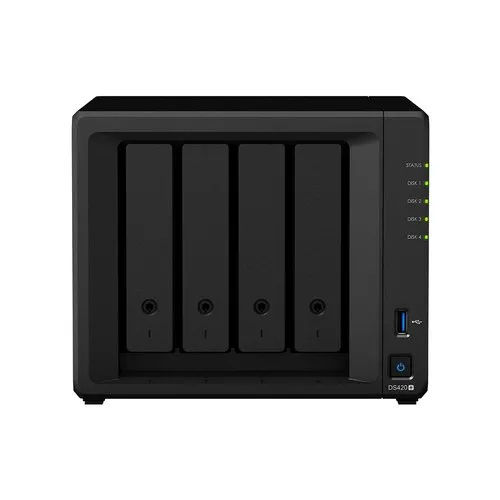
Tell us about your requirement

Price:
Quantity
Select Unit
- 50
- 100
- 200
- 250
- 500
- 1000+
Additional detail
Mobile number
Email

More Products in Network Attached Storage Category
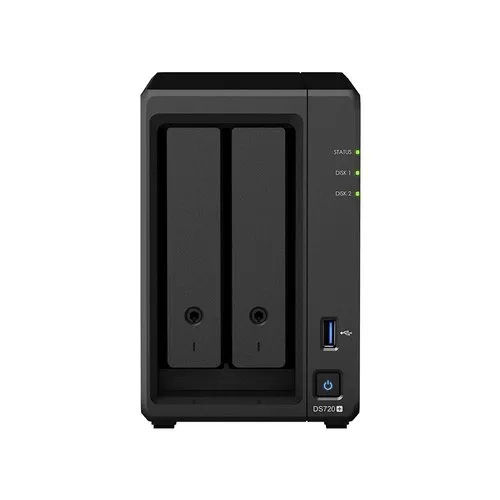
Synology DS 720 Network Attached Storage
Price 52,000 INR / Piece
Minimum Order Quantity : 1 Piece
Power Supply : Other, 100V to 240V AC, 50/60 Hz, Single PSU
Interface Type : SATA III for internal drives, USB 3.0, eSATA, Gigabit Ethernet
Frequency : 50/60 Hz AC Input
Power Consumption : Operating: 17.23 W, HDD Hibernation: 6.88 W
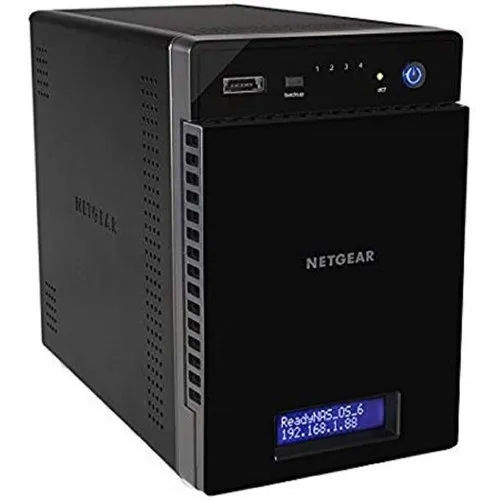
Netgear Network Attached Storage
Price 80000 INR / Piece
Minimum Order Quantity : 1 Piece
Power Supply : Electric
Interface Type : USB
Frequency : 50 Hertz (HZ)
Power Consumption : 100240 Volt (V)
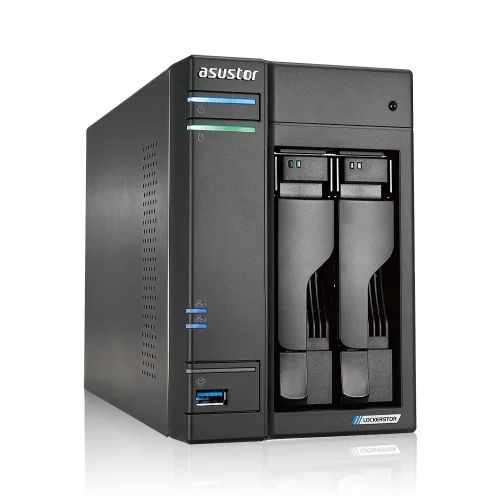
Asustor NAS Storage
Price 70000.0 INR / Piece
Minimum Order Quantity : 1 Piece
Power Supply : Electric
Interface Type : USB
Frequency : 50 Hertz (HZ)
Power Consumption : 90 Watt (W)


 Send Inquiry
Our Products

204, Chandralok CHS, Amipark, S. T. Stand Road, Nalasopara west,Mumbai - 401203, Maharashtra, India

Mr. Umesh Rajaram Pakhare
(PROPRIETOR)
Mobile :08045804890
 Send Inquiry
 Send SMS
Developed and Managed by Infocom Network Private Limited.
