
Call us now :08045804890
 Send Inquiry
 Send Inquiry
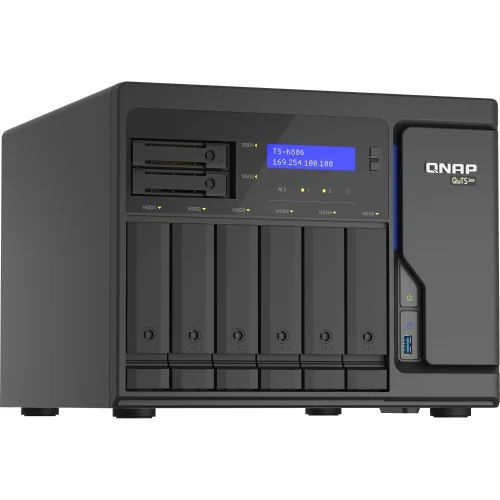
Synology DS 720 Network Attached Storage
Price 52,000 INR/ Piece
MOQ : 1 Piece
Synology DS 720 Network Attached Storage Specification
- Network Device
- NAS (Network Attached Storage)
- Device Type
- Desktop NAS Storage
- Power Supply
- 100V to 240V AC, 50/60 Hz, Single PSU
- Interface Type
- SATA III for internal drives, USB 3.0, eSATA, Gigabit Ethernet
- Usage & Applications
- File sharing, backup, multimedia streaming, surveillance, virtualization
- Power Consumption
- Operating: 17.23 W, HDD Hibernation: 6.88 W
- Features
- Btrfs file system, 2-bay upgradable with Synology Expansion Unit, AES-NI hardware encryption, Snapshot Replication, Hot Swap Drives
- Frequency
- 50/60 Hz AC Input
- Operating Temperature
- 5°C to 40°C
- Port
- 2 x RJ-45 1GbE LAN Port, 2 x USB 3.0, 2 x eSATA
- Remote Control
- Yes
- Weight
- 1.51 kg without hard drives
- IP Routing
- Supported via LAN connections
- Dimension (L*W*H)
- 166 mm x 106 mm x 223 mm
- Number Of Ports/Pins
- 2 x LAN, 2 x USB 3.0, 2 x eSATA
- Connectivity Type
- Wired Ethernet
- Cable Length
- Dependent on connected network cables, typically up to 100 meters (Ethernet)
- Maximum Internal Raw Capacity
- 32 TB (2 x 16 TB drives, capacity may vary by RAID type)
- Expansion Units Support
- Yes, via Synology DX517
- Fan
- 1 x 92 mm x 92 mm, automatic mode
- Hot Swappable Drive Bay
- Yes
- Maximum Single Volume Size
- 108 TB
- Power Recovery
- Yes
- Processor
- Intel Celeron J4125 quad-core 2.0 GHz, burst up to 2.7 GHz
- Noise Level
- 19.8 dB(A)
- Surveillance Station License
- 2 free IP camera licenses included (expandable)
- System Memory
- 2 GB DDR4 (expandable up to 6 GB)
- Supported RAID Types
- Synology Hybrid RAID, Basic, JBOD, RAID 0, RAID 1
Synology DS 720 Network Attached Storage Trade Information
- Minimum Order Quantity
- 1 Piece
- Payment Terms
- Cash in Advance (CID)
- Supply Ability
- 2000 Pieces Per Day
- Delivery Time
- 10 Days
- Main Domestic Market
- All India
About Synology DS 720 Network Attached Storage
Powerful Performance for Home and Office
Equipped with the Intel Celeron J4125 quad-core processor and 2 GB DDR4 RAM (expandable to 6 GB), the Synology DS720+ provides fast, efficient operations. Whether youre transferring large files, streaming HD media, or running backup tasks, the NAS delivers consistent reliability for both professional and personal use.
Flexible Storage and Expansion
With support for up to 32 TB raw internal capacity and single volume size up to 108 TB, the DS720+ caters to a wide variety of storage needs. Hot-swappable drive bays and compatibility with the Synology DX517 expansion unit allow easy upgrades and expandability as your data requirements increase.
Advanced Security and Data Protection
Featuring Btrfs file system, AES-NI hardware encryption, and Snapshot Replication, the DS720+ ensures your data remains safe. Multiple RAID configurations, power recovery, and comprehensive backup options offer peace of mind against data loss due to hardware failure or accidental deletion.
FAQs of Synology DS 720 Network Attached Storage:
Q: How can I expand the storage capacity of the Synology DS720+?
A: You can expand the DS720+ by installing up to two 16 TB drives in its hot-swappable bays, reaching a 32 TB internal capacity. For further expansion, connect the Synology DX517 unit for additional drive support.Q: What RAID types are supported by the DS720+, and how does this benefit me?
A: The DS720+ supports Synology Hybrid RAID (SHR), Basic, JBOD, RAID 0, and RAID 1. These options offer flexibility to prioritize storage efficiency, redundancy, or performance, helping you tailor data protection and capacity as needed.Q: When should I consider upgrading the system memory?
A: Upgrade your system memory when using advanced applications like virtualization, large-scale surveillance, or managing extensive multimedia libraries. The DS720+ supports expansion from 2 GB up to 6 GB DDR4 for enhanced multitasking.Q: Where can I access and manage the DS720+ remotely?
A: The DS720+ can be managed remotely using Synologys DSM web interface or dedicated mobile apps. This functionality allows you to monitor, control, and access your NAS from anywhere with an internet connection.Q: What is the process for setting up surveillance on the DS720+?
A: To set up surveillance, use the built-in Surveillance Station software. The DS720+ provides two free IP camera licenses, and you can add more as needed. Connect your cameras, configure recording settings, and monitor feeds directly from the DSM interface.Q: How does hot-swapping drives work, and why is it useful?
A: Hot-swappable drive bays let you replace or add drives without shutting down the NAS. This allows for uninterrupted operation, making maintenance and upgrades more convenient while maintaining continuous data availability.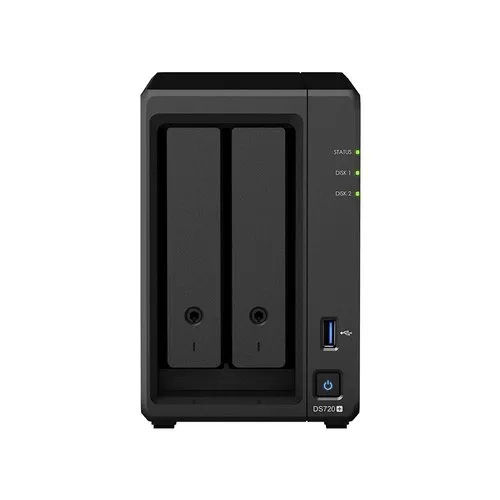
Tell us about your requirement

Price:
Quantity
Select Unit
- 50
- 100
- 200
- 250
- 500
- 1000+
Additional detail
Mobile number
Email

More Products in Network Attached Storage Category
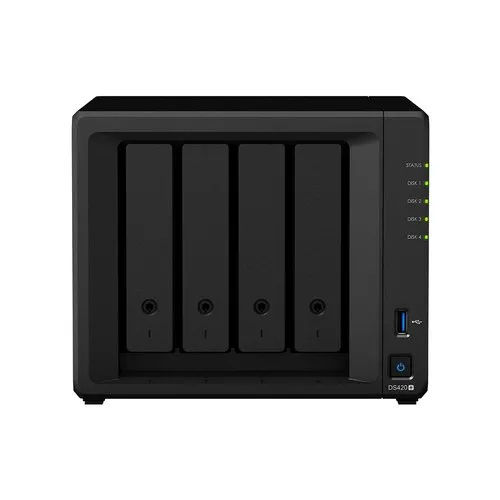
Synology DS 420 Network Attached Storage
Price 52,000 INR / Piece
Minimum Order Quantity : 1 Piece
Power Supply : Other, 100V to 240V AC, 50/60Hz, Single Power Supply
Interface Type : SATA III (HDD/SSD), Ethernet, USB 3.0
Power Consumption : Average 15.48W (Access), 5.7W (HDD Hibernation)
Frequency : 50/60 Hz
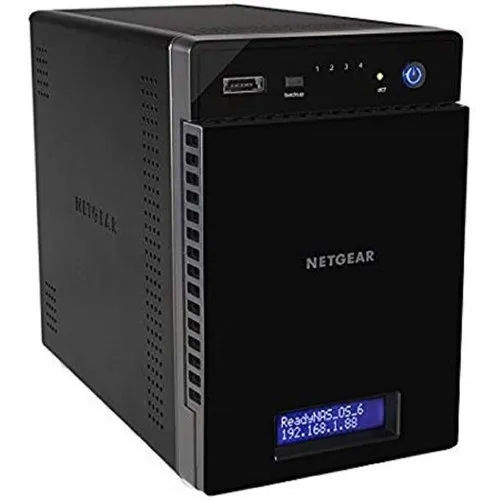
Netgear Network Attached Storage
Price 80000 INR / Piece
Minimum Order Quantity : 1 Piece
Power Supply : Electric
Interface Type : USB
Power Consumption : 100240 Volt (V)
Frequency : 50 Hertz (HZ)
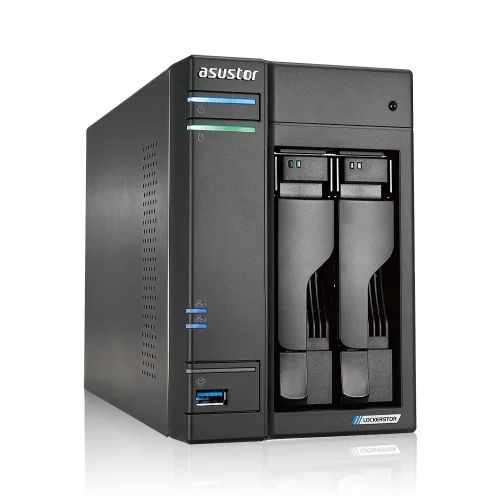
Asustor NAS Storage
Price 70000.0 INR / Piece
Minimum Order Quantity : 1 Piece
Power Supply : Electric
Interface Type : USB
Power Consumption : 90 Watt (W)
Frequency : 50 Hertz (HZ)


 Send Inquiry
Our Products

204, Chandralok CHS, Amipark, S. T. Stand Road, Nalasopara west,Mumbai - 401203, Maharashtra, India

Mr. Umesh Rajaram Pakhare
(PROPRIETOR)
Mobile :08045804890
 Send Inquiry
 Send SMS
Developed and Managed by Infocom Network Private Limited.
